

- Next.js
- LangChain
- LlamaIndex
- GenKit
 Next.js
 LangChain
 LlamaIndex
 GenKit
1. Define the Vercel AI tool and backend API route
Create an AI tool that gets a list of opportunities from Salesforce and a backend route that uses Auth0 to get a Salesforce access token:- When the tool calls
auth0.getAccessTokenForConnection(), passsfdcas the connection name to get a Salesforce access token.
app/api/chat/route.js
2. Call from the frontend Chat UI
Use the@ai-sdk/react hook to wire up the chat component:src/components/chat.tsx
3. Example UI
Navigate tohttps://localhost:3000 to see the chat UI: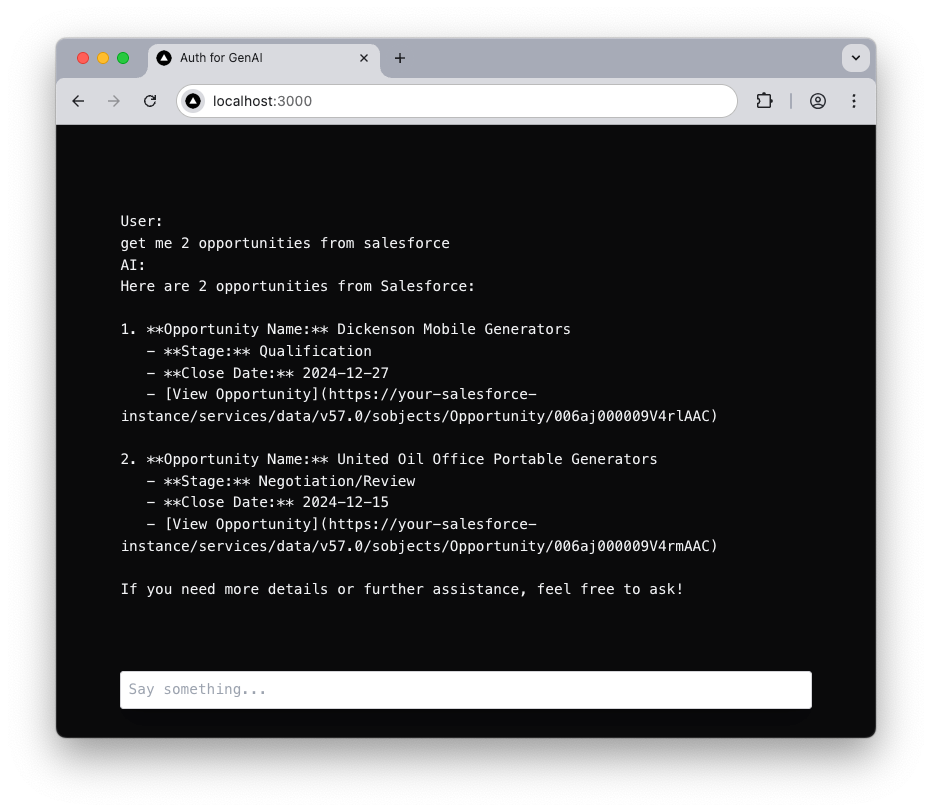
Get me 2 opportunities from Salesforce, GPT-4 interprets the request and invokes the listOpportunities tool, which securely calls the Salesforce API using access tokens obtained via Auth0 and returns the results.